


How to Create a GitHub Portfolio for VLSI Projects

Most hardware engineers spend months building sharp RTL designs, running clean simulations, and closing timing — then let it all sit buried in a laptop folder nobody will ever open. That’s the real gap in this industry. Not skill. Visibility.
A GitHub portfolio changes that. It turns scattered project files into a public, searchable body of work that a recruiter, a hiring manager, or a fellow engineer can open in seconds and actually understand. In a field where the semiconductor market is projected to cross $100 billion by 2030 and companies are racing to hire faster than training pipelines can keep up, having proof of work online is quickly becoming a baseline expectation rather than a bonus.
Why a GitHub Portfolio Matters in VLSI Hiring Today
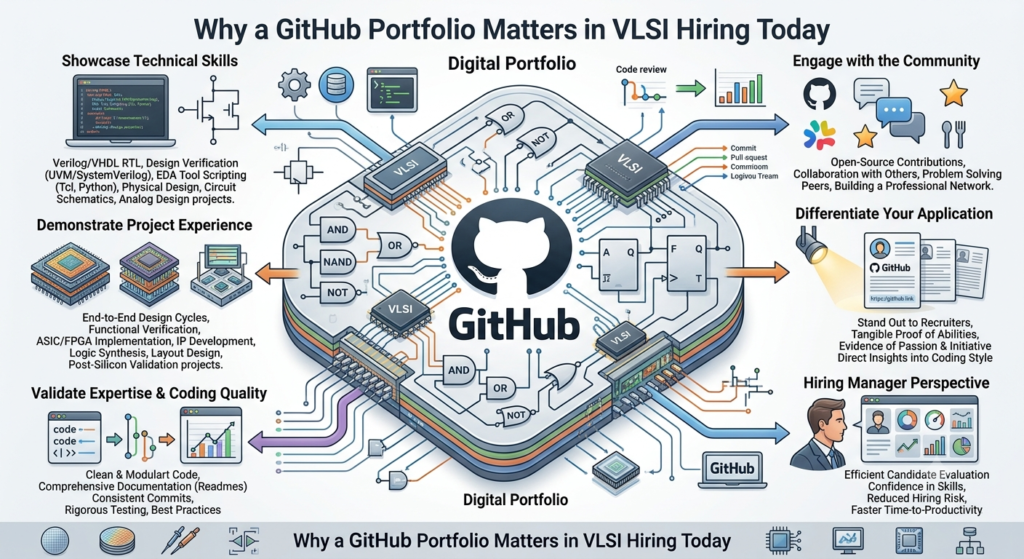
Chip design roles are unusual in one specific way: the work is rarely visible unless someone deliberately makes it so. A software developer can point to a live app. A VLSI engineer’s output — RTL code, testbenches, synthesis reports — normally lives inside a company’s internal servers, invisible to the outside world.
That’s exactly why a public portfolio stands out. It signals that you understand your own work well enough to explain it clearly, that you’re comfortable with version control (a real workplace skill, not just an academic exercise), and that you take ownership of your projects from concept to verification. As AI-assisted design flows, advanced process nodes, and hybrid hardware-software roles reshape hiring expectations, engineers who can demonstrate practical, end-to-end project execution have a real edge over those who only list tools on a resume.
Structuring Your Repositories the Right Way
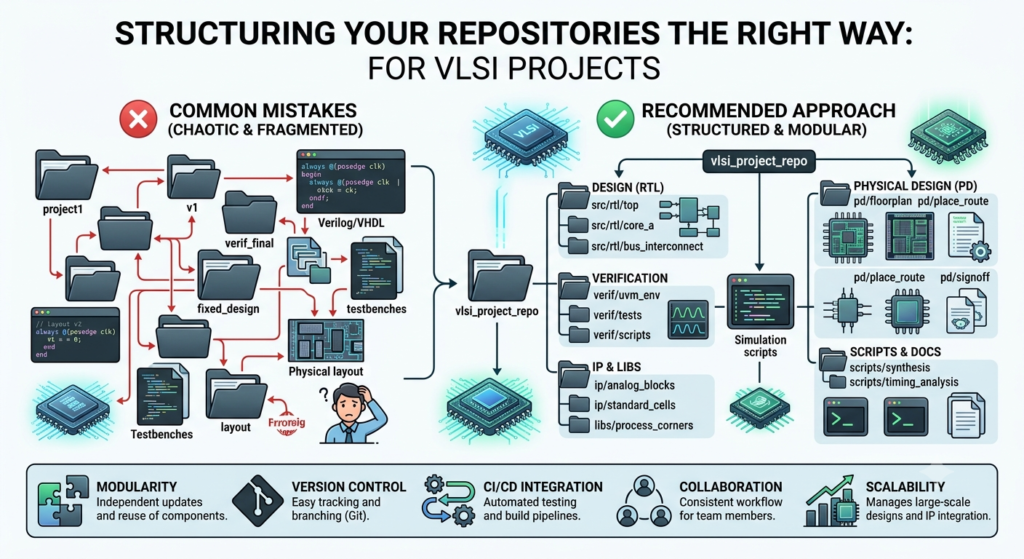
A messy repository does more damage than an empty one. If someone opens your project and finds unlabeled files, no folder logic, and zero explanation, they’ll assume the same disorganization carried into your actual design process.
Aim for a repository structure that mirrors how a real design team organizes its work:
- rtl/ — your Verilog or VHDL source files
- tb/ — testbenches and verification environments
- sim/ — simulation logs, waveform files, and scripts
- docs/ — block diagrams, specifications, and design notes
- results/ — synthesis reports, timing summaries, power estimates
This kind of layout does two things at once. It makes the project genuinely easier to navigate, and it quietly demonstrates that you think in terms of design flow, not just code. Keep repository names specific — “uart-transceiver-verilog” tells a viewer far more at a glance than “project1.”
Documenting Your Projects Like a Professional Engineer
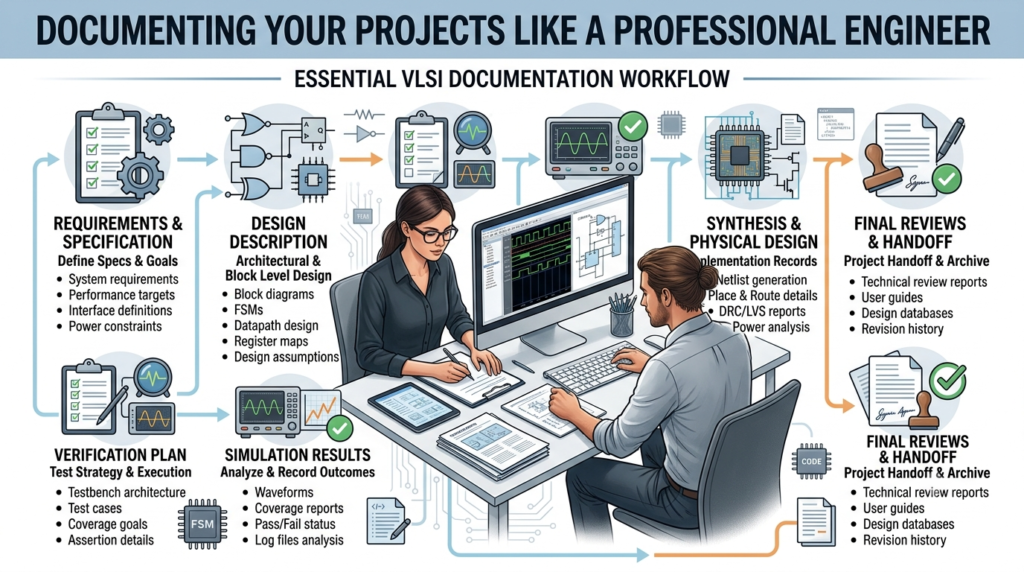
The README file is the single most underused tool in a portfolio. Most people either skip it entirely or write two rushed lines. That’s a mistake, because the README is often the only thing a busy reviewer actually reads before deciding whether to look further.
A strong README answers four questions in order: what the project does, why it was built, how it was implemented, and what the results were. Include the block architecture, the tools used (Xilinx Vivado, ModelSim, Cadence, QuestaSim — whatever applies), and a short note on any design trade-offs you made and why. If you hit a real problem — a timing violation, a metastability issue, a verification gap — write about how you solved it. That kind of detail is far more convincing than a polished summary with no friction in it, because it shows actual engineering judgment rather than a copy-pasted tutorial outcome.
Keep the tone plain and specific. Avoid vague lines like “implemented a robust design” without backing them up with numbers, waveforms, or a short explanation of what “robust” meant in that context.
Showcasing Verification, Simulation, and Waveform Results
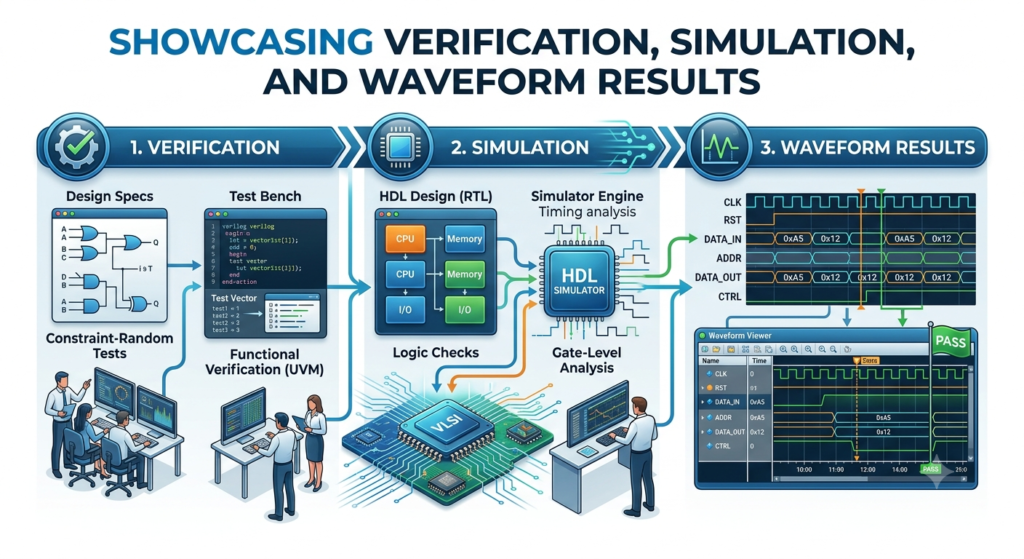
Anyone can claim a design works. Proof is what separates a credible portfolio from a decorative one. Include actual simulation waveforms, testbench coverage summaries, and — where relevant — synthesis or timing reports as images or short text logs directly in your repository.
If you built a functional verification environment, briefly describe your approach: directed tests, constrained-random stimulus, assertions, or a coverage-driven methodology. Even a simple explanation of how you validated corner cases adds real weight, because verification is often the part of a project that gets the least attention despite being where a large share of real design time actually goes.
Where possible, add a short GIF or a few labeled screenshots of waveform outputs. Visual proof is processed faster than text, and it gives a reviewer immediate confidence that the project actually ran, rather than existing only as a theoretical write-up.
Building Authority Through a Profile README and Consistency
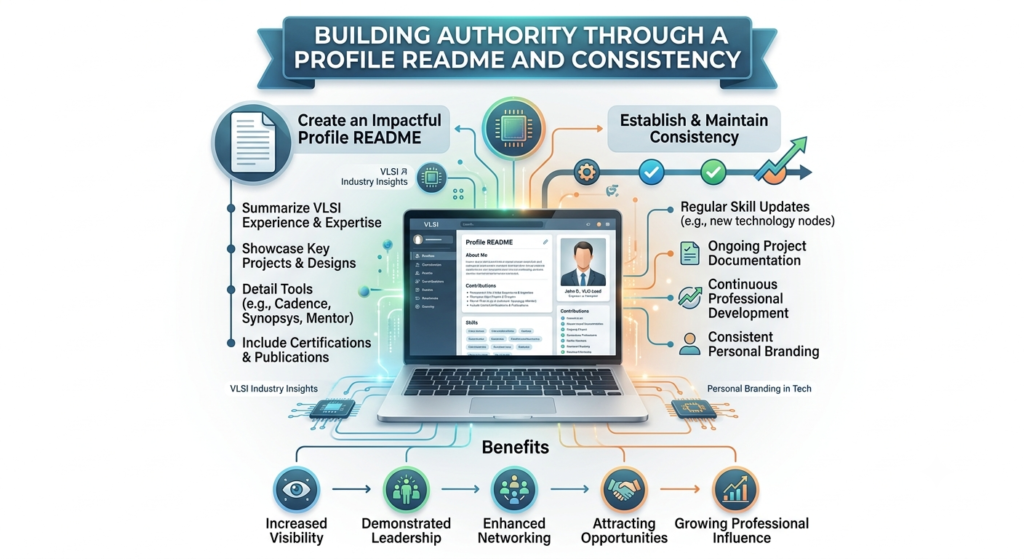
GitHub allows you to create a special repository matching your username that displays as a profile README on your main page. Use it. This is prime real estate — a short professional summary, your core focus areas within VLSI (digital design, analog layout, verification, physical design, or FPGA prototyping), and links to your two or three strongest projects, pinned at the top.
Consistency matters more than volume here. A portfolio with four well-documented, complete projects will always outperform one with fifteen half-finished repositories. Commit regularly, even in small increments, since an active commit history signals ongoing engagement rather than a one-time upload before a job application. Write clear, meaningful commit messages instead of generic ones like “update” or “fix” — this is a small habit, but it’s one hiring managers with engineering backgrounds notice immediately.
Finally, connect your portfolio outward. Link it from your LinkedIn profile and any application material you send out, and consider writing a short post explaining one project in more depth on a platform like LinkedIn or a personal blog. This creates additional context around your work and helps it surface more easily when someone searches your name alongside your field.
Conclusion
A GitHub portfolio isn’t a one-time task you finish and forget — it’s a living record of how you think and how you build. As hiring in chip design continues shifting toward candidates who can demonstrate practical, verifiable skill rather than credentials alone, a well-organized, clearly documented portfolio becomes one of the highest-leverage things you can build outside of formal work experience.
Start small if you need to. Pick one project, structure it properly, document it honestly, and publish it. Momentum builds from there — and a portfolio that grows steadily over months will always read as more credible than one assembled in a single weekend before a deadline.
1. How do I create a GitHub portfolio for VLSI projects?
Create a professional GitHub profile, upload VLSI projects with clear documentation, add Verilog/SystemVerilog code, testbenches, results, and project descriptions.
2. What should a VLSI GitHub portfolio include?
Include RTL design, Verilog, SystemVerilog, verification, FPGA, and digital design projects with source code, README files, simulations, and results.
3. Is GitHub useful for VLSI freshers?
Yes. A GitHub portfolio helps VLSI freshers showcase practical skills, projects, coding ability, and hands-on experience to recruiters.
4. Which VLSI projects should I upload to GitHub?
Upload projects related to RTL Design, Design Verification, FPGA, Verilog, SystemVerilog, digital circuits, and automation scripts.
5. How can I make my VLSI GitHub portfolio professional?
Use clear repositories, detailed README files, organized code, project screenshots, simulation results, and meaningful commit messages.